Open source launcher for Linux · MIT · inspect every line on GitHub

Your shortcut to everything,
on Linux.

A fast, ergonomic, extendable launcher—apps, files, clipboard history, web answers, and manifest‑scoped plugins—all from the keyboard, without a cloud account tied to someone else's codebase.

v0.2.6 · x86_64 · .deb · AppImage · single-instance palette toggle (Wayland‑friendly)
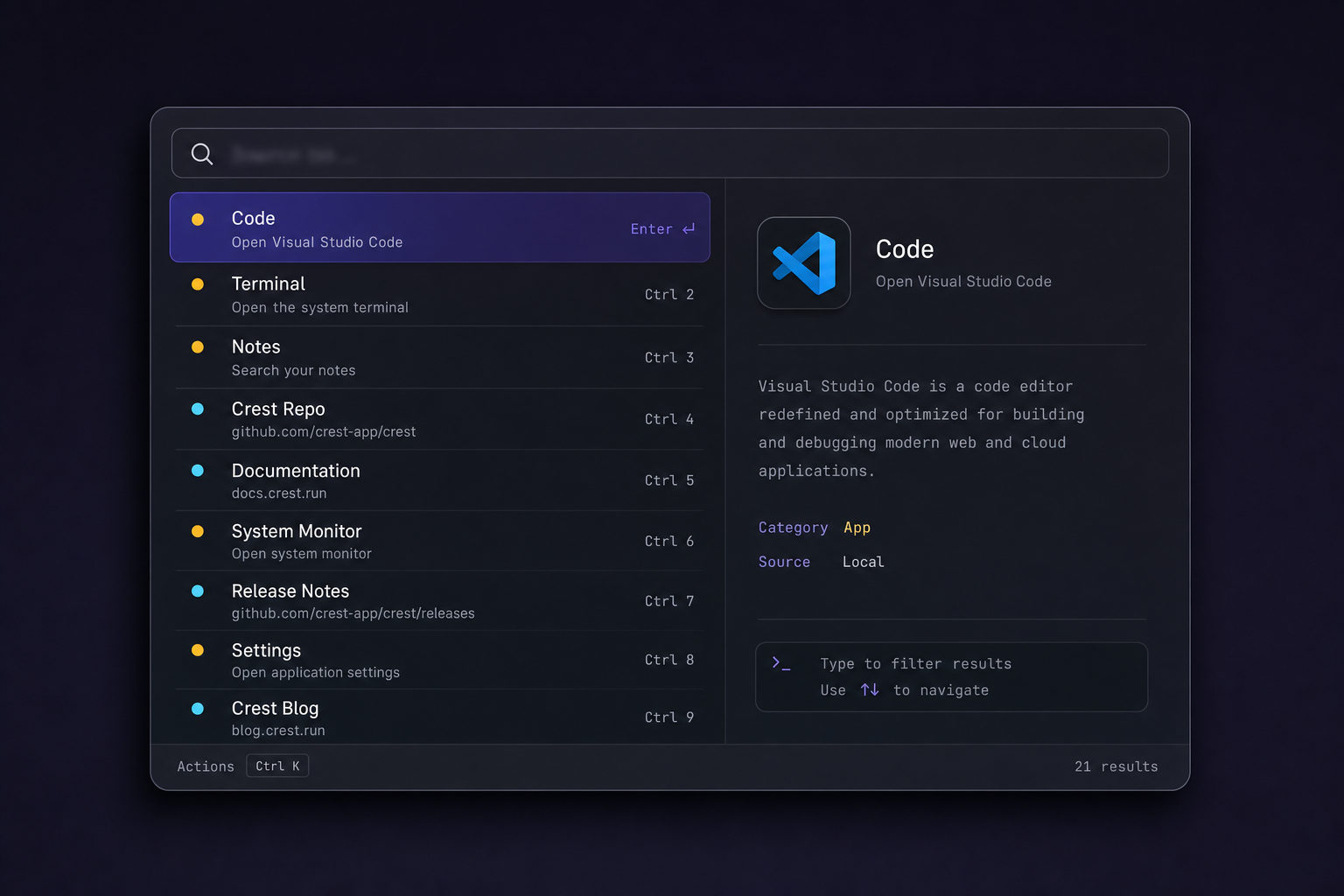
Crest launcher on Linux — dark palette with search field, blurred result rows, dual-pane preview, and Ctrl+K actions hint.

Fast. Rust‑backed fuzzy search and local SQLite—you stay in milliseconds, not menu trees.

Ergonomic. Arrow keys, Enter, actions menu—launcher flows that feel obvious on day one.

Native. Tauri + system WebView, not Electron—lighter footprint across daily driver sessions.

Transparent. MIT code and manifest‑listed plugins—you choose what executes, openly.

Implementation

Rust commands, lightweight UI shell.

The heavy work runs in Rust: indexing, SQLite, clipboard, plugins, and scraping bridges. The window is Tauri 2 with a small React UI—similar footprint to native tooling, unlike shipping a full browser runtime with every build.

Native IPC

Tauri invokes Rust commands from the webview; no localhost HTTP server in the hot path.

SQLite at the edges

App metadata, clipboard history, and file index snapshots stay in local databases—not a vendor cloud.

releases · install

Install from GitHub (paths match current release).

# Debian / Ubuntu
wget …/releases/…/crest_0.2.6_amd64.deb
sudo apt install ./crest_0.2.6_amd64.deb
# AppImage
chmod +x crest_*_amd64.AppImage && ./crest_*_amd64.AppImage
On Wayland, bind your compositor shortcut to run crest so every launch toggles the window—the same flow recommended in Docs.
Clipboard

History that stays offline.

Copies land in local SQLite—you can recall snippets and URLs without syncing to a vendor. Search is keyed to your keyboard flow, not upload queues.

SQLite LOCAL ONLY
Privacy

No account. No telemetry.

Network use is deliberate (e.g. web answers when you pause typing). There is no sign-in sheet and no product analytics channel.

Web

DuckDuckGo-backed answers.

Wikipedia-style snippets and a “search the web” row when nothing local matches—with an explicit pause before outbound requests.

Extensions

Manifest-driven scripts.

Ship commands as small executables or scripts that print structured JSON. Default policy reads manifest.json so arbitrary files in ~/.config/crest/plugins are never auto-loaded.

~/.config/crest/plugins/
manifest.json lists allowed paths;
stdin/argv documented in repo · no shell injection by default.
Onboarding

Three steps.

Download

Pick .deb or AppImage from Releases—pinned versions are linked below.

Install

sudo apt install ./crest_*.deb or mark the AppImage executable and run it.

Shortcut

Wayland users: bind a desktop key to run crest (single-instance toggle since v0.2.1). X11 often accepts in-app Super+Space. Details: docs.

Direction

What we are working toward.

  • 01

    Composable shortcuts

    Better ergonomics where Wayland restricts global grabs (portals where viable, sharper docs).

  • 02

    Plugins you can audit

    Templates, versioning, and a discoverable manifest story so first-party/community tools are easy to vet.

  • 03

    Distribution

    Broader packaging (community AUR / Flatpak interest) tracked with issues—no walled store.